



Missing a tournament because you joined a few minutes late can ruin your competitive plans. Knowing the rocket league tournament times helps you prepare your team, enter the right game mode, and compete for exclusive in-game rewards.
Rocket League offers scheduled competitive tournaments across different regions, with formats such as 2v2, 3v3, and Extra Modes. This guide explains the schedule, how to check your local start time, how tournament registration works, and where to find official esports event dates.
Rocket League Tournament Times and Daily Schedule
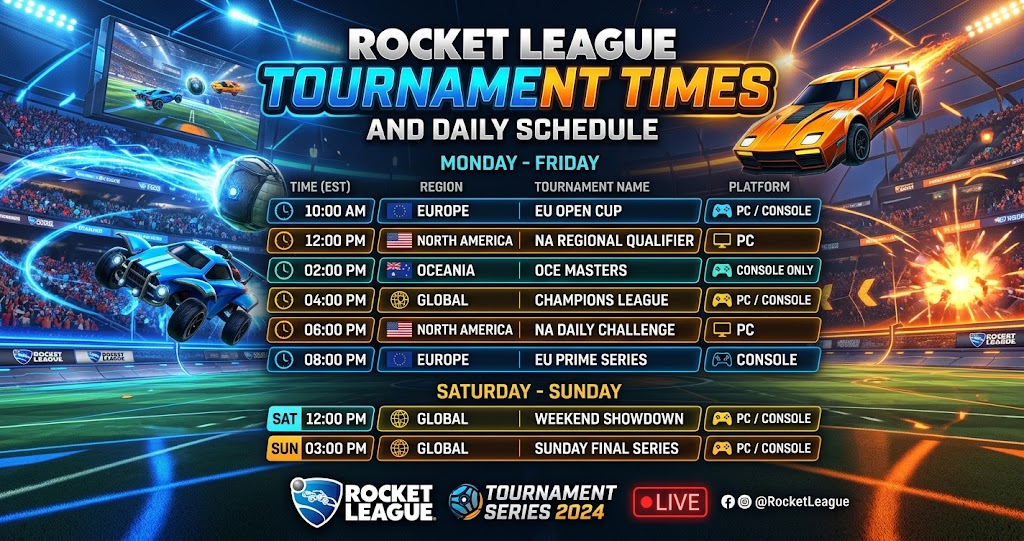
Rocket League’s in-game tournaments run at scheduled times that depend on your selected tournament region. Epic Games publishes a schedule in Coordinated Universal Time (UTC), so players in the United States and United Kingdom should check how those times translate to their local clocks.
For example, the official schedule lists North American Extra Modes tournaments at 8:00 PM UTC and 2v2 Soccar tournaments at 10:00 PM UTC. In Europe, the published schedule includes 2v2 Soccar at 3:00 PM UTC and 3v3 Soccar at 5:00 PM UTC. These are UTC schedule entries, not automatically your local start times.
Rocket League Tournament Schedule by Region
The following examples come from Epic Games’ published in-game competitive tournament schedule. Always confirm the next available session inside the game because schedules and regional options can change.
| Region | Tournament Mode | Published Time (UTC) | Frequency |
|---|---|---|---|
| North America | Extra Modes | 8:00 PM | Daily |
| North America | 2v2 Soccar | 10:00 PM | Daily |
| North America | 3v3 Soccar | 12:00 AM | Daily |
| Europe | Extra Modes | 1:00 PM | Daily |
| Europe | 2v2 Soccar | 3:00 PM | Daily |
| Europe | 3v3 Soccar | 5:00 PM | Daily |
These entries provide a useful starting point, but they do not represent every tournament available in every region. Some special modes appear only on particular days, and midnight entries can fall on the following calendar day. Check the official Rocket League tournament schedule before planning your session.
How to Check Rocket League Tournament Times in Your Game
The easiest way to confirm your next tournament is through Rocket League itself. Open the game and select Play from the main menu. Then enter the Tournaments section and review the available play windows.
The game displays upcoming tournament opportunities for your selected region. Therefore, you can use the in-game schedule to confirm the next start time instead of relying on an old screenshot or an outdated community post.
Your tournament region also matters. Open Settings, select the Gameplay tab, and locate the Tournament Schedule Region option. Choose the region you want to use, but remember that Epic Games restricts how frequently you can change this setting. The change cannot be made within 24 hours of a selected tournament ending.
Why Local Time Can Be Different
UTC does not automatically match Eastern Time, Pacific Time, or UK local time. Daylight saving changes can also affect the difference between these time zones.
For example, a tournament scheduled for 10:00 PM UTC will begin at 6:00 PM Eastern Daylight Time when the offset is UTC-4. However, it begins at 5:00 PM Eastern Standard Time when the offset is UTC-5. Always use the correct date and time zone when converting the schedule.
Rocket League Competitive Tournaments: How They Work
In-game competitive tournaments offer a structured alternative to ordinary ranked matches. Players compete against teams with comparable skill levels and advance through a bracket by winning matches. Epic Games describes the standard format as a 32-team, single-elimination bracket.
Most rounds feature a single match, while the semifinals and final use best-of-three matches. If your team loses the opening round, you may have an opportunity to enter a Second Chance bracket. However, you should not assume that every tournament offers identical options, so review the available event details before joining.
You can register alone, join with a partial team, or enter with a complete squad. This flexibility makes tournaments accessible to solo players as well as groups that regularly play together.
2v2, 3v3, and Extra Modes
The 2v2 format suits duos who prefer more space on the field and greater responsibility for each play. Communication and quick rotations matter because both teammates must balance attacking pressure with defensive coverage.
Meanwhile, 3v3 gives teams another player to support rotations and maintain pressure. It can be a good choice for friends who enjoy coordinated passing and shared defensive responsibilities.
Extra Modes offer a different experience from standard Soccar. The available mode depends on the scheduled event, so check the tournament label before registering. If you prefer unusual match conditions, these sessions can provide a welcome change from regular competitive play.
Rocket League Tournament Rewards and Preparation
Tournament rewards give players another reason to participate. By competing, you can earn Tournament Credits and use them to obtain Cups containing customization items. Rewards can include items such as decals, wheels, and goal explosions, while tournament victories can also grant rank-specific titles.
Your reward depends partly on how far you progress through the bracket. Therefore, entering consistently and improving your performance can make tournaments worthwhile even when you do not win every match.
Before your next session, check the start time and make sure your game is ready. If you are playing with friends, agree on roles and communication before entering the bracket. Also, avoid leaving a tournament before the final results screen because quitting early can trigger penalties and forfeit that event’s rewards.
In-Game Tournaments vs. RLCS Esports Events
The phrase “Rocket League tournament schedule” can refer to two different things. In-game competitive tournaments are playable events that you enter directly through the game’s menu. RLCS events, on the other hand, are official esports competitions featuring professional teams.
If you want to play rather than watch, focus on the in-game schedule. However, if you want to follow professional matches, check the official Rocket League competitive website for championship dates, event announcements, and broadcasts. Epic Games maintains separate information for RLCS tournaments and Monthly Cash Cups.
Conclusion
Checking rocket league tournament times before you play helps you avoid missed registrations and plan around your preferred game mode. Use the official schedule as a reference, then confirm the exact start time in the Tournaments menu for your selected region.
Whether you prefer 2v2, 3v3, or Extra Modes, preparation can help you make the most of each session. Check your next tournament today, invite your teammates, and get ready to compete.
FAQs
What time do Rocket League tournaments start?
Rocket League tournaments run at scheduled times that vary by region and game mode. Epic Games publishes the schedule in UTC, while the in-game Tournaments menu helps you check the sessions available for your selected region. Confirm the current schedule before joining because event availability can change.
How do I check Rocket League tournament times in my time zone?
Open Rocket League, select Play, and enter the Tournaments section. Review the available play windows for your selected tournament region. If you use an online UTC schedule, convert the listed time using your local time zone and the correct daylight saving rules.
Can you join Rocket League tournaments alone?
Yes. Rocket League allows players to register as individuals, with an incomplete team, or with a full team. This means you do not always need to find two or three friends before entering a competitive tournament. Check the registration options shown for your chosen event.
What happens if you miss a Rocket League tournament start time?
If you miss the initial start, you may lose your place in the main bracket. Depending on the event and its rules, you might be able to enter a Second Chance bracket. Therefore, arrive early and check the tournament menu rather than assuming late registration will remain available.
Are Rocket League tournaments different from RLCS events?
Yes. In-game tournaments let players compete directly through Rocket League for tournament rewards. RLCS events are official esports competitions featuring professional teams. You can check the in-game schedule to participate or visit the official Rocket League competitive website to follow professional tournaments and broadcasts.
For more updates visit: GAME ARENAX
