



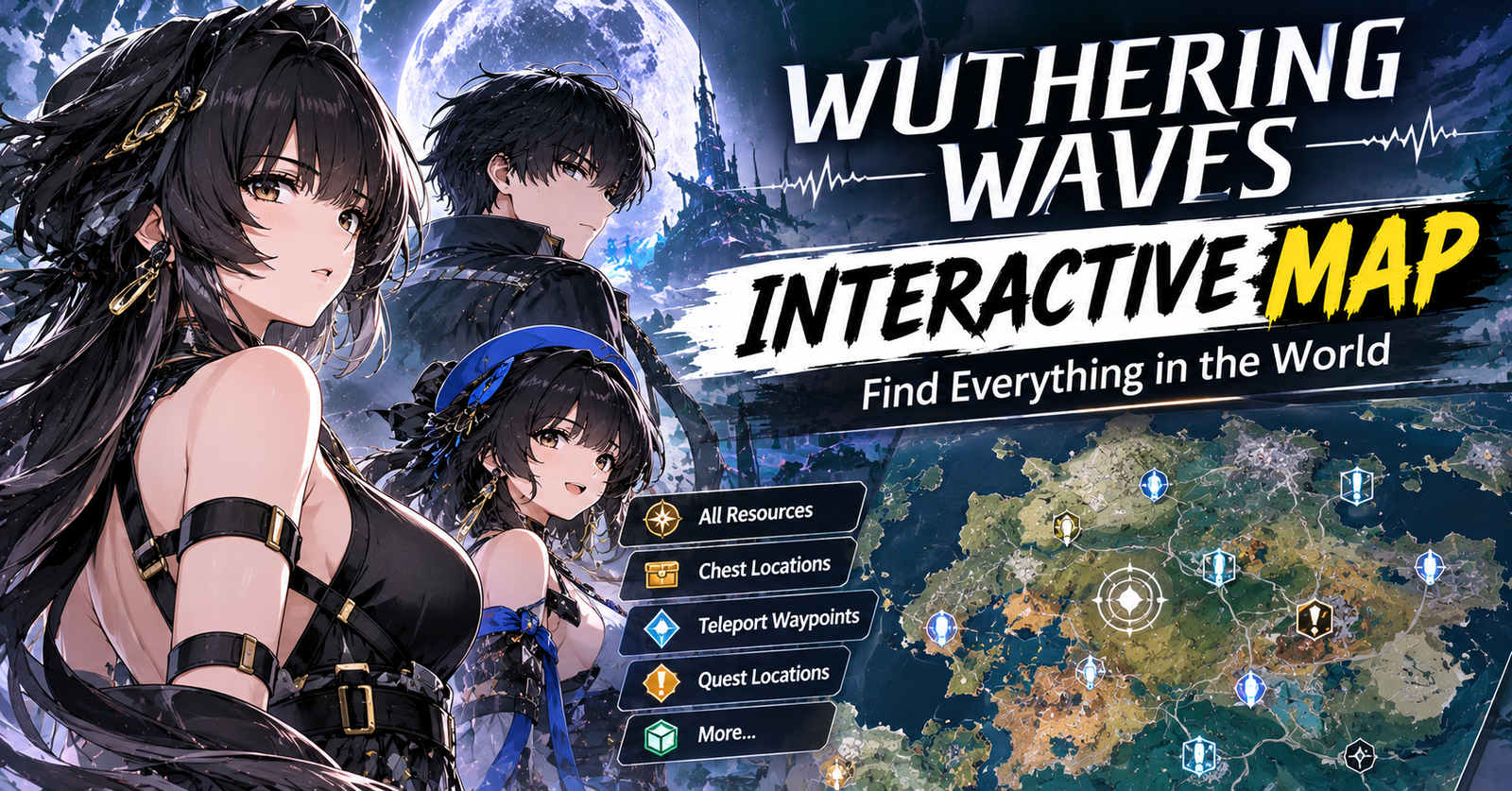
Exploring Solaris-3 in Wuthering Waves can be exciting, but finding every chest, Echo, upgrade material, and hidden location takes time. The Wuthering Waves interactive map makes exploration easier by helping you locate important items, plan farming routes, and track your progress across different regions. This guide explains how to use map filters, find valuable resources, and make every exploration session more productive.
What Is the Wuthering Waves Interactive Map?
The Wuthering Waves interactive map is a browser-based tool that displays locations and points of interest throughout the game’s world. Instead of searching every corner manually, you can use map markers to find collectibles, enemies, fast-travel points, and character upgrade materials.
Several community-created maps offer different features. For example, WuWaBuild’s interactive map includes location searches, category filters, and progress tracking. The Hidden Gaming Lair also provides interactive maps covering multiple regions and exploration categories.
These tools are unofficial community resources rather than official game services. Therefore, check their update dates when exploring newly released areas, because map coverage can change with game updates.
How to Use the Wuthering Waves Interactive Map
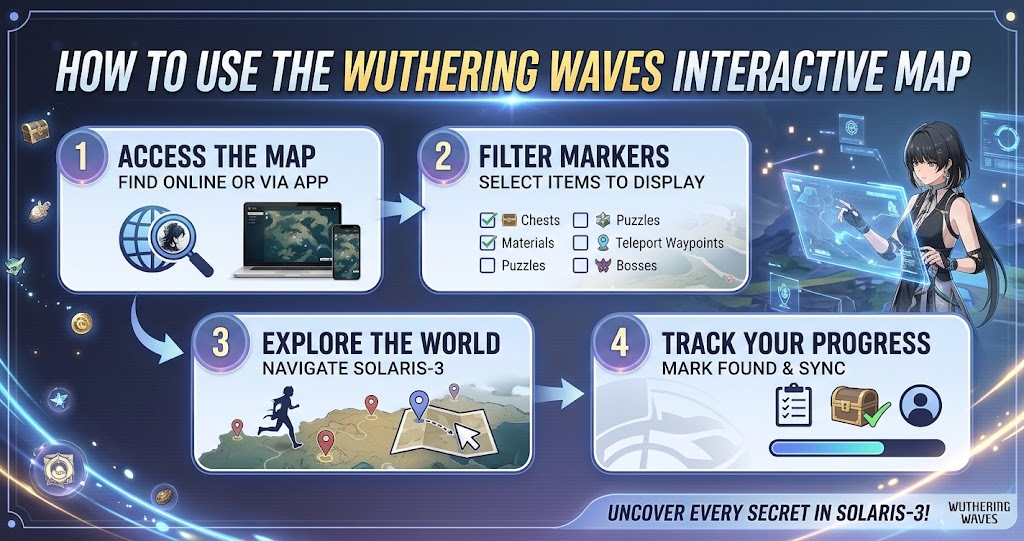
Most interactive maps follow a similar process. First, open your preferred map website and select the region you want to explore. Next, enable the category that matches your goal, such as supply chests, Echoes, bosses, or ascension materials.
Filter Locations to Find Items Faster
Map filters help reduce clutter. If you want to collect supply chests, hide unrelated markers and display only treasure locations. Similarly, players farming Echoes can focus on enemy locations and relevant Echo sets instead of viewing every point of interest.
Search tools can also help you locate specific materials or enemies by name. As a result, you spend less time scanning the entire map and more time collecting the resources your team needs.
Track Your Exploration Progress
Some interactive maps allow you to mark locations as discovered. This feature is useful when you return to an area after several sessions, since you can distinguish completed locations from places you still need to visit.
However, progress tracking varies by website. Check whether the map saves discoveries locally in your browser or requires an account. Also, avoid assuming that progress automatically transfers between devices.
What Can You Find on the WuWa Map?
A good Wuthering Waves map can support several different activities. The following table explains how common map categories help with exploration and character progression.
| Map Category | What You Can Find | Main Benefit |
|---|---|---|
| Supply Chests | Basic, Standard, Advanced, and Premium chests | Explore rewards |
| Echoes | Enemies and Echo-related locations | Improve Echo farming |
| Ascension Materials | Plants, minerals, and regional items | Upgrade Resonators |
| Bosses | Major enemy locations | Plan material farming |
| Fast Travel | Resonance Beacons and Resonance Nexuses | Reduce travel time |
| Collectibles | Sonance Caskets and other regional items | Complete exploration |
Available categories vary by map provider and region. Therefore, check the filters before relying on a website for a particular collectible or enemy.
Finding Supply Chests and Collectibles
Supply chests are an important reason to use an interactive map. They reward exploration and can provide useful resources, so locating missed chests can help you make progress through an area.
Start by displaying the chest markers for your selected region. Then compare those locations with the areas you have already explored in-game. If your map supports completion tracking, mark each discovered chest as you collect it.
Sonance Caskets and other regional collectibles may require a different approach. Some appear in less obvious locations, so use the map to identify nearby markers and inspect surrounding terrain carefully. Remember that a marker may require a puzzle, challenge, or exploration task before you can collect the item.
Farming Echoes and Character Materials
Echoes are central to character builds in Wuthering Waves. They contribute combat abilities and stat bonuses, so finding suitable enemies can help you develop your preferred Resonators.
Use Echo Locations for Better Farming Routes
Choose the Echo category or search for a specific enemy on your selected map. If the website supports Echo sets, narrow your search to the set you want to farm. This approach helps you avoid unnecessary detours and focus on relevant encounters.
However, an enemy’s location does not guarantee a particular Echo drop or desired stats. Treat the map as a navigation aid rather than a promise of specific rewards.
Locate Ascension Materials
Character ascension requires materials that may grow in particular regions or come from specific enemies. An interactive map can show resource locations, helping you prepare for upgrades before spending time traveling around Solaris-3.
For example, you can search for a required regional plant, mark its locations, and plan a route through nearby areas. You can also check boss markers when you need enemy-related materials. As a result, one focused farming session can be more efficient than exploring without a clear objective.
Best Tips for Efficient Map Exploration
The best way to use an interactive map is to start with a specific goal. If you need character materials, focus on ascension resources and the relevant bosses. If you want to complete an area, prioritize undiscovered chests, collectibles, and exploration points instead.
Combining nearby objectives can also save time. For instance, collect regional materials while traveling between marked chests rather than returning to the same location repeatedly. Meanwhile, unlock available Resonance Beacons and Resonance Nexuses to make later trips easier.
Keep your map updated when a new version adds regions or changes exploration content. If a marker seems incorrect, compare it with current in-game information or another reputable community guide. This is particularly useful for newly released areas where map coverage may still be developing.
Is the Wuthering Waves Interactive Map Worth Using?
Yes, an interactive map can be valuable for players who want to explore efficiently, complete regions, or prepare characters for combat. Its biggest advantage is convenience: location markers and filters help you find relevant objectives without repeatedly searching large areas.
Casual players can use the map occasionally when they get stuck, while completion-focused players may benefit from tracking every discovered location. Echo farmers can also use specialized filters to plan routes around specific enemies and sets.
Nevertheless, the map works best alongside in-game exploration. Some locations require puzzles or quests, and community maps may not immediately reflect every update. Use the markers as guidance while enjoying the discovery and exploration that make the game rewarding.
Conclusion
The Wuthering Waves interactive map is a practical resource for finding supply chests, Echoes, ascension materials, bosses, and hidden collectibles throughout Solaris-3. By filtering locations, tracking discoveries, and planning routes around your goals, you can make exploration more organized and spend less time searching aimlessly.
Choose a map that covers your current region and preferred activities, then use it alongside the in-game map for the best results. Start with the collectibles or materials you need most and gradually work toward completing each area.
FAQs
Is there an official Wuthering Waves interactive map?
Several unofficial community websites provide interactive maps for Wuthering Waves. These tools help locate chests, Echoes, materials, bosses, and other points of interest. For official announcements and game updates, consult Wuthering Waves’ official website and channels.
Can I find all supply chests with an interactive map?
An interactive map can help you locate marked supply chests and track which ones you have collected. However, coverage depends on the provider and the current game version. Check the map’s update information and verify unusual or missing locations in-game.
Does the WuWa map show Echo locations?
Yes, many community maps include Echo-related markers and enemy locations. Some also provide filters for Echo sets or individual enemies. These tools help you plan farming routes, although they cannot guarantee specific drops or the stats of an Echo.
Can I track collected items on the map?
Some interactive maps support discovery tracking, allowing you to mark locations as found. Depending on the website, progress may save in your browser or through an account. Review its tracking options before relying on it across multiple devices.
Is the Wuthering Waves interactive map free?
Many community-created Wuthering Waves maps are available free through a web browser. Features and account requirements vary by provider, so check the website before using advanced tracking tools or downloading companion applications.
For more updates visit: GAME ARENAX
