



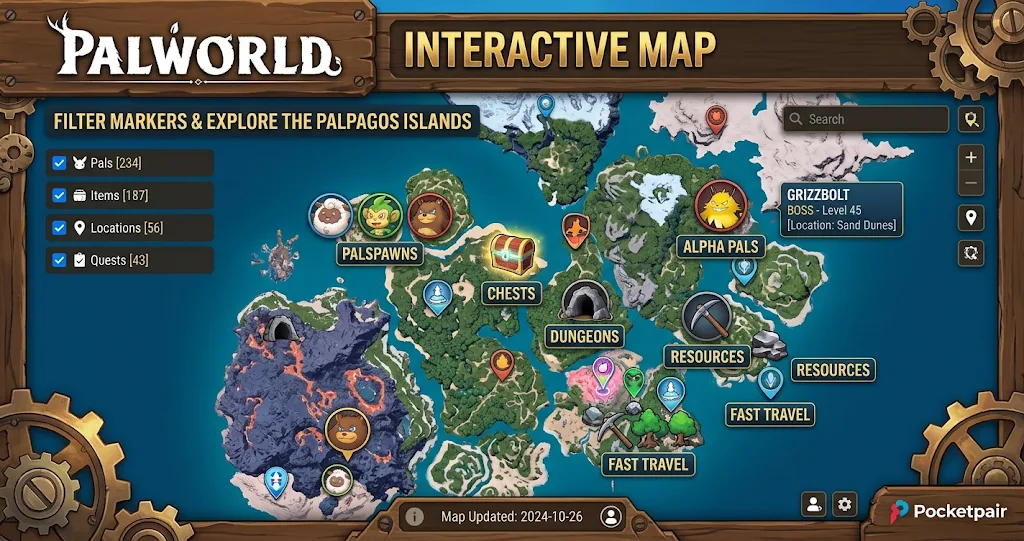
Exploring the Palpagos Islands in Palworld can be exciting, but finding specific Pals, valuable resources, and hidden locations takes time. A Palworld interactive map makes exploration easier by helping players identify important destinations without searching the entire world blindly.
Whether you want to discover rare creatures, collect Lifmunk Effigies, locate powerful Alpha Pals, or find valuable mining spots, an interactive map can save considerable time. This guide explains how these maps work, which locations you can discover, and how to use their filters to make exploration more efficient.
What Is the Palworld Interactive Map
The Palworld interactive map is an online exploration tool that displays important locations across the game’s world. Instead of relying entirely on your in-game map, you can use an external map to search for specific creatures, resources, dungeons, and other points of interest.
Most interactive maps provide clickable markers and category filters. Consequently, you can display only the locations relevant to your current objective rather than filling your screen with unnecessary information.
For example, a player searching for Coal can enable the resource layer and hide unrelated markers. Similarly, someone preparing for a difficult encounter can display Alpha Pal locations and nearby fast travel points.
Several community-created maps also cover the World Tree alongside the Palpagos Islands. However, available features and location databases differ between websites. Therefore, check the map’s update information before relying on it for a particular location.
Best Palworld Interactive Map Websites
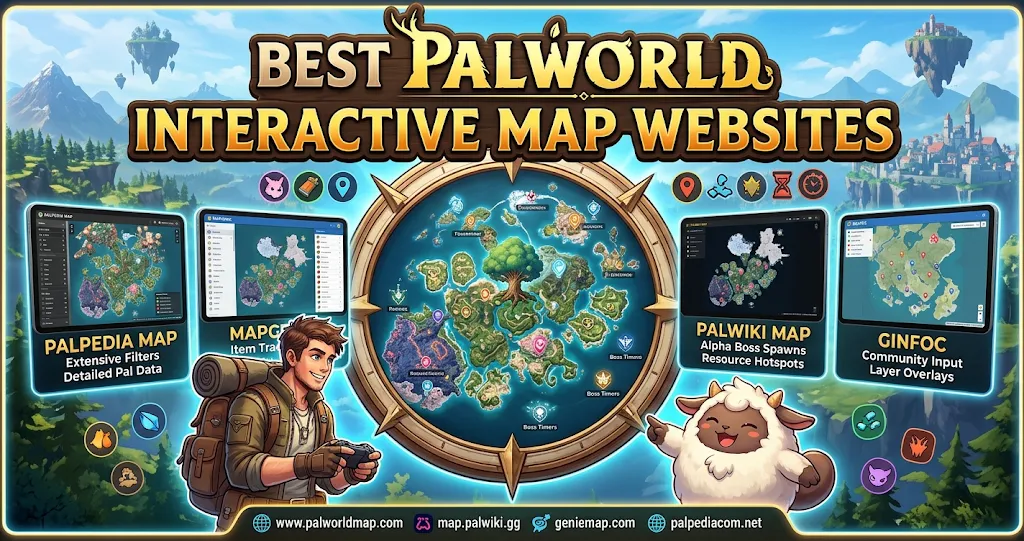
Choosing a reliable map matters because different websites offer different search tools, location databases, and tracking features. Some focus on detailed Pal spawn information, while others provide broader exploration coverage.
Palworld.tools Map
Palworld.tools offers a detailed map with searchable Pal habitats, resource locations, dungeon entrances, fishing spots, treasure chests, and Alpha bosses. Its filters help players narrow down locations according to their current needs.
One particularly useful feature is its day and night habitat search. This makes it easier to investigate where particular Pals appear during different periods. You can also mark discovered locations and add personal pins for future exploration.
The website describes its location data as coming from the game’s version 1.0.5 files. It also provides additional map resources, including level maps and dungeon floor references.
Palworld.gg Interactive Map
Palworld.gg provides another useful option for players who want to locate important exploration destinations. Its map includes fast travel points, Syndicate Towers, Alpha Pals, dungeons, sealed realms, and collectible locations.
The category-based layout makes it easier to focus on particular activities. For example, players completing exploration objectives can concentrate on collectibles, while those preparing for combat can investigate boss and tower locations.
It also displays categories for eggs, merchants, skill fruits, and other useful discoveries. Therefore, it works well as a general reference during regular gameplay.
Palworld Database Map
Palworld Database provides a large collection of map markers and searchable layers. Players can investigate spawn areas, Alpha bosses, treasure chests, Effigies, and resource locations.
Its Pal search functionality is especially helpful when you want to identify where a particular creature appears. Additionally, the ability to switch between the Palpagos Islands and World Tree helps players organize exploration across different regions.
The website also supports progress tracking, making it useful for players who want to keep track of discoveries while completing their collection.
What Can You Find on the Palworld Map
A good interactive map offers much more than basic geographical information. It helps players locate destinations that support exploration, combat, resource gathering, and progression.
Pal Locations and Spawn Areas
Finding specific Pals is one of the biggest reasons to use an interactive map. Different creatures inhabit different environments, and some appear only during particular times of day.
A searchable Pal map allows you to investigate individual spawn areas instead of traveling randomly. This is especially useful when searching for rare creatures or trying to complete your Pal collection.
Some maps also provide spawn-level information and habitat details. As a result, you can choose destinations that better match your current character level and preparation.
Alpha Boss Locations
Alpha Pals are powerful opponents that offer challenging encounters and valuable rewards. However, finding their locations can become difficult when you are exploring unfamiliar regions.
The boss layer highlights known Alpha Pal locations and helps you plan encounters. Before traveling, consider your equipment, available ammunition, and the elemental strengths of your team.
You can also use nearby fast travel markers to reduce unnecessary travel between boss encounters.
Resources and Mining Locations
Resource gathering plays an important role in Palworld’s crafting and base-building systems. Materials such as Ore, Coal, Sulfur, Pure Quartz, and Paldium support different production requirements.
Instead of wandering around looking for suitable deposits, activate the corresponding resource filters. This approach is particularly helpful when you need a specific material for equipment upgrades or advanced crafting.
The following table explains how different map categories support common gameplay activities.
| Map Category | What You Can Find | Main Purpose |
|---|---|---|
| Pal Spawns | Wild Pals and habitats | Creature collection |
| Fast Travel | Great Eagle Statues | Faster exploration |
| Resources | Ore, Coal, Sulfur | Crafting materials |
| Bosses | Alpha Pals and towers | Combat progression |
| Collectibles | Effigies and treasures | Exploration rewards |
| Dungeons | Dungeon entrances | Combat and loot |
These categories cover the main reasons players consult external maps. However, the available markers depend on the website and its latest database.
Dungeons and Hidden Locations
Dungeons provide opportunities to explore underground areas, fight enemies, and discover valuable rewards. Their entrances can be difficult to locate when you do not know where to look.
An interactive dungeon layer makes these destinations easier to identify. You can also investigate sealed realms and other marked locations when planning a longer exploration session.
Remember that reaching an entrance does not guarantee an easy encounter. Prepare suitable equipment and healing supplies before entering unfamiliar areas
How to Use a Palworld Interactive Map Effectively
Using an online map is straightforward, but selecting the right filters makes a noticeable difference. Start by opening a map website and selecting the region you want to explore.
Next, search for a specific Pal, resource, or location. If you want to find a particular creature, use the Pal search function rather than enabling every available layer. This keeps the map readable and helps you identify relevant spawn areas.
Once the desired markers appear, select an individual location to inspect its details. Some websites display coordinates, habitat information, or additional descriptions when you click a marker.
You can then compare the displayed coordinates with your in-game map and travel toward the destination. Make sure you select the correct region because similar markers can appear across different islands.
Use Filters to Avoid Unnecessary Travel
Filters are among the most useful features of an interactive map. They allow you to hide categories that do not support your current objective.
For instance, resource collectors can display mining deposits while hiding boss markers. Meanwhile, players searching for rare creatures can focus on Pal habitats and available spawn information.
This approach also helps when preparing longer journeys. By checking nearby discoveries together, you can complete several objectives during one exploration trip.
Track Your Discoveries
Some interactive maps offer progress tracking through discovered or completed markers. You can mark locations as found and return later to check which areas remain unexplored.
Certain websites save this information locally in your browser. Others provide export or import options, allowing you to manage progress across sessions.
However, tracking behavior differs between platforms. Check whether a website saves your progress automatically before depending on it for a long-term collection project.
Why Use an Interactive Map Instead of the In-Game Map
Palworld’s in-game map is important for navigation and understanding your surroundings. Nevertheless, external interactive maps provide additional search and filtering options.
The biggest advantage is the ability to find specific destinations quickly. Instead of exploring large areas without a clear objective, you can identify a resource deposit or creature habitat before leaving your base.
External maps also help players plan efficient routes between multiple destinations. This can reduce unnecessary journeys, particularly when collecting materials or exploring unfamiliar regions.
However, an external map should support your adventure rather than replace exploration entirely. Discovering new environments, finding unexpected encounters, and developing your own travel routes remain important parts of the experience.
Tips for Getting Better Results From Palworld Maps
Start with one clear objective before activating map filters. Searching for a particular Pal or resource is usually more effective than displaying every available marker.
Also, check the map’s update information because game updates can affect location data and available content. A map based on an older game version may not include newer discoveries.
When searching for creatures, pay attention to habitat and time-of-day information. These details can help explain why a Pal does not appear when you arrive at a marked location.
Finally, use coordinates whenever a website provides them. Comparing external coordinates with the in-game map can make navigation easier, especially when exploring remote areas.
Conclusion
The Palworld interactive map is a valuable tool for players who want to explore efficiently and find important locations without wasting time. From rare Pal habitats and Alpha Bosses to mining deposits, dungeons, and fast travel points, these maps make navigation much easier.
Palworld.tools is a useful choice for detailed habitat and resource searches, while Palworld.gg and Palworld Database offer alternative exploration features. Compare their filters and tracking options to find the map that matches your gameplay style.
FAQs
Is there a free Palworld interactive map?
Yes, several community websites provide free interactive maps. Palworld.tools, Palworld.gg, and Palworld Database offer searchable locations and different filtering features. You can use these resources to find creatures, bosses, resources, dungeons, and collectibles without purchasing a separate mapping tool.
Can I find every Pal using an interactive map?
Many interactive maps include searchable Pal spawn areas and habitat information. However, coverage depends on the website’s database and update schedule. Some creatures may have multiple spawn locations, while others have specific habitat or time-of-day conditions that affect their availability.
Can I find Alpha Bosses on the Palworld map?
Yes, supported interactive maps include dedicated Alpha Pal or boss filters. These markers help you identify known encounter locations before traveling. Some websites also provide additional details, such as coordinates or boss information, which can help you prepare for difficult fights.
Does the Palworld map show resource locations?
Yes, many community maps include resource layers for materials such as Coal, Ore, Sulfur, Pure Quartz, and Paldium. You can activate the relevant category to find nearby deposits. This makes resource gathering and base-building preparation more convenient.
Can I use an interactive map on mobile?
Yes, many browser-based Palworld maps work on smartphones and tablets. Most support touch controls for zooming, moving around the map, and selecting markers. However, the exact experience depends on the website, so a desktop browser may provide more convenient access to detailed filters.
For more updates visit: GAME ARENAX
