




Want to survive a trial with friends who play on different gaming systems? Before inviting your squad, you need to know which platforms can connect and how cross-platform matchmaking works. So, is Dead by Daylight crossplay available on PC, PlayStation, Xbox, and Nintendo Switch?
Yes! Dead by Daylight supports crossplay between PC and major consoles. This feature lets players join matches together, build cross-platform friend lists, and enjoy the same multiplayer experience. However, there are some important differences involving mobile players, account progression, and communication.
Is Dead by Daylight Crossplay Available on All Platforms
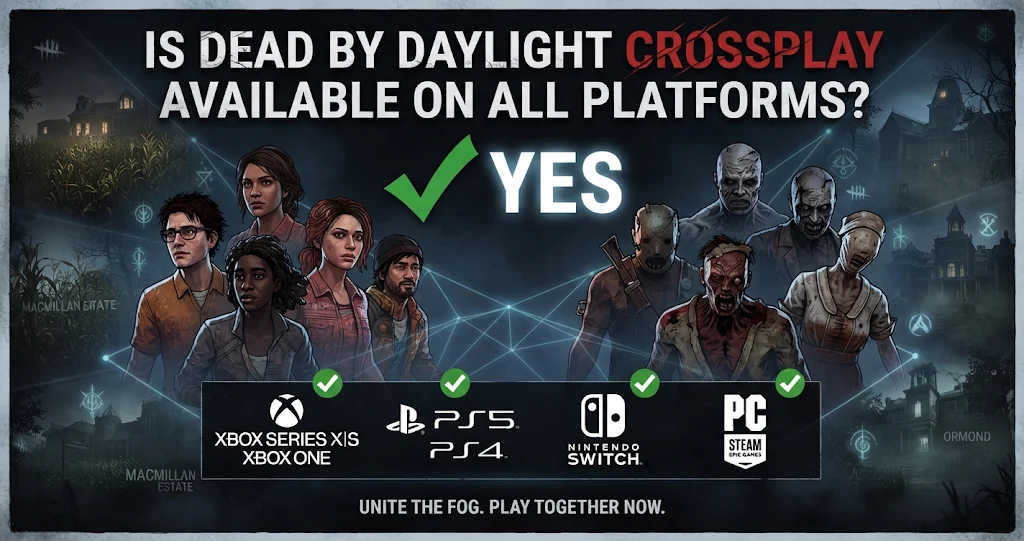
Yes, Dead by Daylight supports cross-platform multiplayer between its PC and console versions. Behaviour Interactive introduced this feature in August 2020, allowing players to enter trials regardless of their supported platform.
For example, someone playing on Steam can join friends using a PlayStation 5, Xbox Series X|S, or Nintendo Switch. Similarly, PlayStation 4 and Xbox One players can participate in matches with PC users.
The supported PC versions include Steam, Epic Games Store, and Microsoft Store. PlayStation, Xbox, and Nintendo Switch players can also connect through the shared matchmaking system.
However, Dead by Daylight Mobile operates separately. Mobile players cannot join standard PC or console matches through crossplay. This distinction matters because the mobile edition has its own platform ecosystem and multiplayer infrastructure.
Dead by Daylight Crossplay Platform Compatibility
Understanding platform compatibility makes organizing multiplayer sessions much easier. Although the game supports several systems, not every version belongs to the same crossplay environment.
The following table explains which platforms participate in the standard multiplayer network.
| Platform | Crossplay Support | Compatible Platforms |
|---|---|---|
| Steam PC | Yes | Consoles and PC |
| Epic Games PC | Yes | Consoles and PC |
| Microsoft Store PC | Yes | Consoles and PC |
| PlayStation 4/5 | Yes | PC, Xbox, Switch |
| Xbox One/Series X|S | Yes | PC, PlayStation, Switch |
| Nintendo Switch | Yes | PC, PlayStation, Xbox |
| Dead by Daylight Mobile | No | Separate mobile ecosystem |
The important takeaway is that PC and console players share the same crossplay environment. However, the mobile edition remains separate, so downloading the mobile version will not let you join friends playing on PlayStation or Xbox.
How to Enable Crossplay in Dead by Daylight
Crossplay makes matchmaking more flexible, but you should check your settings before attempting to join friends. If cross-platform play is disabled, the game restricts your matchmaking pool.
Fortunately, enabling this feature is straightforward. Launch Dead by Daylight and open the main menu. From there, enter the Settings section and locate the crossplay option.
Check whether cross-platform play is enabled. If it is disabled, switch it on to access matches with players using other supported platforms.
One important detail is that you must change this setting outside an active lobby. Behaviour Interactive explains that players cannot enable or disable crossplay while they are already inside a lobby. Therefore, return to the main menu before changing your preference. Dead by Daylight
What Happens When You Turn Crossplay Off?
Disabling crossplay does not prevent you from playing Dead by Daylight online. Instead, matchmaking searches for players using your own platform who have also disabled the feature.
For example, a PlayStation player with crossplay disabled will not normally enter matches with PC or Xbox users.
However, this smaller matchmaking pool can increase waiting times. Therefore, keeping crossplay enabled is generally the more convenient choice if you want faster access to multiplayer matches. Dead by Daylight
How to Play Dead by Daylight With Friends on Different Platforms
The cross-friends feature allows players to connect with friends regardless of their gaming system. This is particularly useful when your group owns different consoles or prefers playing on PC.
Open Dead by Daylight and navigate to your Friends section. Find the option for adding a friend, then search using that person’s Dead by Daylight ID.
Once you locate the correct account, send a friend request. After your friend accepts it, you can use your cross-platform friends list to organize multiplayer sessions.
For example, a Steam player can add an Xbox friend and invite them to play together. Likewise, someone using a PlayStation console can connect with a friend on Epic Games Store.
Remember that cross-platform usernames and platform account names might differ. Therefore, using the correct in-game ID is important when searching for someone.
Also, avoid sharing your DBD ID publicly. Behaviour Interactive recommends protecting your account details and friends list rather than posting them openly. Cross-Play – BHVR
Can You Communicate With Crossplay Friends
Playing together is possible, but communication has some limitations. Dead by Daylight does not provide the same pre-game and post-game text chat experience across every platform.
PC players using Steam, Epic Games Store, and Windows Store can access pre-game and post-game chat. However, console players cannot access or view that in-game chat.
Consequently, friends playing on different systems may prefer an external voice communication service. This makes coordinating strategies easier, particularly when survivors need to communicate about generators, healing, and the killer’s location. Cross-Play – BHVR
Is Dead by Daylight Crossplay the Same as Cross-Progression?
No. Crossplay and cross-progression are separate features, even though both help players enjoy the game across different platforms.
Crossplay allows people using different gaming systems to participate in the same matches. Cross-progression, on the other hand, synchronizes eligible game progress and inventory between linked platform accounts.
Behaviour Interactive introduced cross-progression in July 2024. Players can connect supported accounts through a Behaviour Account and synchronize their eligible content.
Supported platforms include Steam, Epic Games Store, Microsoft Store, PlayStation, Xbox, and Nintendo Switch. Nintendo Switch has additional restrictions involving certain purchases and currencies. Dead by Daylight+1
Does Cross-Progression Transfer Everything?
Not necessarily. Although account synchronization shares considerable progress, certain items and purchases have platform-specific restrictions.
For example, Auric Cells purchased or held on Nintendo Switch cannot be shared with other platforms. Nintendo Switch DLC also has different sharing rules from DLC purchased elsewhere.
Furthermore, platform-exclusive cosmetics and achievements do not automatically transfer between every connected account. Therefore, check the official cross-progression requirements before linking accounts.
One particularly important warning is that syncing accounts is irreversible under the current support guidance. You should carefully check which platform accounts you want to connect before confirming synchronization. Dead by Daylight
Does Dead by Daylight Crossplay Work During Every Update
Usually, supported platforms can play together when they are running compatible versions of the game. However, temporary update delays can interrupt cross-platform matchmaking.
Nintendo Switch players may experience this issue because its release schedule can differ from other platforms. Behaviour Interactive explained in its September 2025 support notice that Switch could receive updates later than other systems.
During these periods, Switch players cannot join friends using different platforms until their game version becomes compatible again.
Therefore, if your crossplay invitation suddenly stops working, check whether everyone has installed the latest available update. A version mismatch may explain the problem rather than an issue with your friends list or account.
Common Dead by Daylight Crossplay Problems
Even though cross-platform multiplayer is supported, players can occasionally experience connection or invitation problems.
One common issue involves searching for the wrong player ID. Double-check your friend’s in-game username and DBD ID before sending another request. Also, confirm that both accounts are using supported versions of the game.
Another possible problem is disabled crossplay. If one player has switched off the feature, their matchmaking experience will be restricted to compatible players on their own platform.
Update differences can also cause trouble. This is especially relevant when Nintendo Switch receives a release later than PC and consoles.
Finally, remember that crossplay does not guarantee identical performance on every device. Network quality, hardware performance, and matchmaking conditions can still affect your experience.
Conclusion
So, is Dead by Daylight crossplay? Absolutely. The game supports cross-platform multiplayer across PC, PlayStation, Xbox, and Nintendo Switch, making it easier to enjoy trials with friends on different systems.
However, Dead by Daylight Mobile remains separate, and cross-progression follows different account-sharing rules. Keep crossplay enabled, add friends using their DBD IDs, and make sure everyone has compatible game versions.
FAQs
Is Dead by Daylight crossplay between PC and PS5?
Yes. Dead by Daylight supports crossplay between PC and PlayStation 5. Steam, Epic Games Store, and Microsoft Store players can join PS5 users in online trials. Both players need compatible game versions and cross-platform play enabled to participate together.
Can Xbox and PlayStation play Dead by Daylight together?
Yes. Xbox One, Xbox Series X|S, PlayStation 4, and PlayStation 5 players can join the same multiplayer environment. They can also add friends through the in-game cross-platform friends system and participate in shared trials.
Is Dead by Daylight Mobile crossplay with PC?
No. Dead by Daylight Mobile operates separately from the standard PC and console versions. Therefore, mobile players cannot join matches with friends playing through Steam, PlayStation, Xbox, or Nintendo Switch.
How do I add friends from different platforms?
Open the Friends section in Dead by Daylight and select the option to add a cross-platform friend. Search using your friend’s DBD ID, then send a request. Once accepted, you can use your shared friends list to organize multiplayer sessions.
Should I keep crossplay enabled in Dead by Daylight?
Yes, keeping crossplay enabled is generally recommended if you want access to the wider player pool. It allows you to match with supported PC and console platforms. Turning it off restricts matchmaking and may increase waiting times.
For more updates visit: GAME ARENAX
