



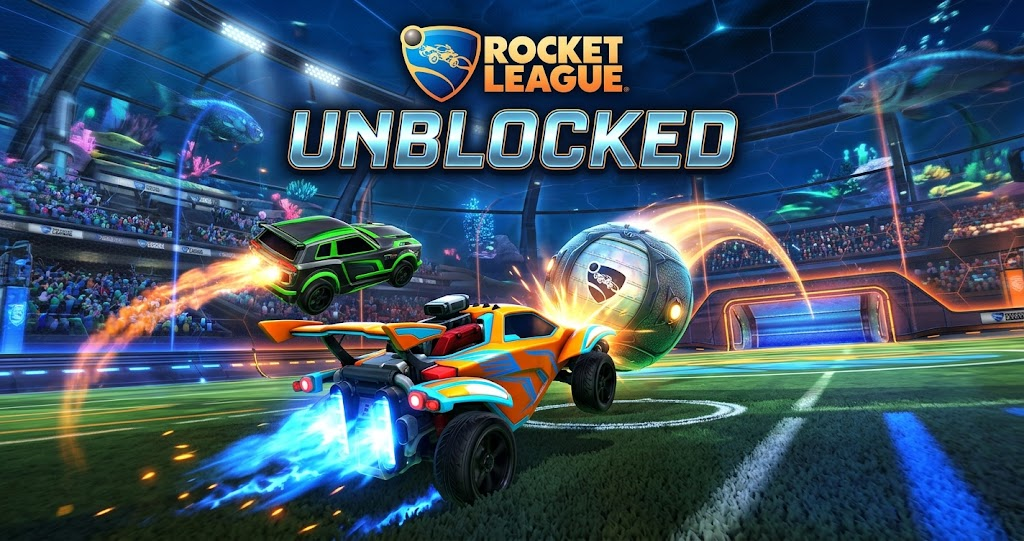
Want to enjoy fast car-soccer action without installing a large game? Searching for rocket league unblocked can lead you to browser games inspired by the original, but not every website offers the same experience. Some pages host simple car-soccer games, while others use familiar names to attract visitors.
This guide explains what unblocked versions actually offer, how to find safer alternatives, which controls to learn, and how to access the official game without confusing it with an unofficial browser copy.
What Does Rocket League Unblocked Mean?
Rocket League is a competitive sports game where players control rocket-powered cars and hit a giant ball into the opposing goal. Its combination of driving, jumping, boosting, and aerial movement creates a distinctive experience.
The phrase “unblocked” usually refers to games that players can access through a web browser when ordinary gaming access is restricted. In this case, search results may show simplified car-soccer games, unofficial copies, or gaming websites that use Rocket League in their page titles.
However, these options are not necessarily the original game. The official Rocket League is distributed through supported gaming platforms rather than an official, full browser edition.
Understanding this difference helps you choose the right experience. If you want the original graphics, competitive matchmaking, and familiar progression systems, use an official platform. If you only want a quick car-soccer match, a separate browser game might be enough.
Rocket League Unblocked Browser Game Options

A browser-based alternative can be convenient when you want a short gaming session without installing additional software. These games generally run inside a modern browser, although performance depends on the game’s design and your device.
Some alternatives recreate the basic car-soccer idea with smaller arenas and simplified physics. Others focus on driving, boosting, or scoring goals rather than reproducing every mechanic of the original. As a result, the gameplay can feel familiar without offering the same competitive depth.
Is Rocket League Available Directly in a Browser?
The full official game does not have a standard browser version that you can launch like an ordinary HTML game. Its official play options include PC and supported consoles, as shown on the game’s website.
Be cautious when a third-party page claims to provide the complete official game instantly without installation. Check the developer information and the actual game title before proceeding, especially if the page requests account credentials or an unexpected download.
Can You Play on a School Chromebook?
A Chromebook can run many browser-based games, provided the device supports the required browser features and the website is accessible. Simple games often have lower hardware demands than complex 3D experiences.
However, school administrators may restrict gaming websites or certain browser functions. Respect the school’s acceptable-use rules rather than trying to bypass its security controls. If gaming is not permitted on that network, use your own device and a network where playing games is allowed.
Rocket League Unblocked Controls and Gameplay
Most car-soccer browser alternatives use straightforward controls, although the exact key bindings depend on the game. Some let you steer with the keyboard, jump over the ball, or activate a temporary boost to reach it faster.
Before starting a match, check the controls displayed on the game’s title screen or settings menu. This small step can prevent frustrating mistakes, particularly when a browser game uses different keys from the original Rocket League.
How to Improve Your Car-Soccer Skills
Good positioning matters more than constantly chasing the ball. When the ball moves toward your goal, stay between it and the goal instead of driving past it without a plan. Meanwhile, when your teammate has possession, leave enough space to react to a rebound.
Boost management also helps. Rather than holding the boost button continuously, use short bursts when you need extra speed or want to reach the ball first. In simplified browser games, these habits can improve your results even when the physics differ from the official title.
Practice controlling the ball in an open area before joining competitive matches. This gives you time to learn turning, acceleration, jumping, and recovery without the pressure of an opponent scoring.
Official Rocket League vs. Browser Alternatives
The table below compares the official game with common browser-based alternatives. Features vary between individual browser games, so the comparison describes general differences rather than promising specific features for every website.
| Feature | Official Rocket League | Browser Alternative |
|---|---|---|
| Access method | Supported gaming platform | Web browser |
| Installation | Required | Usually not required |
| Graphics | Full 3D presentation | Often simplified |
| Competitive play | Official matchmaking | Varies by game |
| Progression | Game-specific systems | Often limited |
| Hardware needs | Depends on platform | Depends on browser game |
The main takeaway is that convenience comes with trade-offs. A browser alternative may start quickly, but it usually does not reproduce the complete official experience. Choose according to whether you value instant access or the full competitive game.
How to Choose a Safe Rocket League Unblocked Website
Not every search result deserves your trust. Some gaming pages contain aggressive advertising, misleading download buttons, or redirects that lead away from the game you expected.
Start by checking the website’s reputation and whether it clearly identifies the game it hosts. A legitimate browser game should explain what it is, provide understandable controls, and avoid demanding unnecessary personal information.
Avoid Suspicious Downloads and Login Requests
A browser game should not need your Epic Games password simply to let you try an unrelated car-soccer experience. Never enter your gaming account details into an unfamiliar website claiming to offer free access to the official game.
Likewise, avoid unexpected executable files, browser extensions, and downloads advertised as special unblocked editions. These may introduce security risks or unwanted software. Keep your browser updated, and close suspicious pages instead of following additional redirects.
If a game fails to load, check whether the website is experiencing technical problems or whether your network restricts access. Do not assume that installing an unfamiliar extension will solve the issue.
What If the Official Game Is Blocked?
If you cannot access the official game at school, work, or a public facility, follow that network’s rules. You can instead explore browser games that are permitted on the network or save the official game for a personal device.
The official Rocket League website explains the supported ways to play, while Epic Games provides installation instructions for PC players. These sources are more reliable than unofficial pages promising instant access to the complete game.
How to Play the Official Rocket League on PC
If you want the original experience, the official PC version is available through the Epic Games Store. Rocket League is free to play, although your device must meet the game’s current requirements.
Visit the official Epic Games Store listing and follow its installation instructions. After installing the Epic Games Launcher, sign in to your Epic account, find Rocket League in the store, and select the option to get the game. Then install it through your library and launch it when the download finishes.
The official version provides access to its supported competitive modes, car customization, and online features. It is the better choice if you want to develop skills that carry over to the real game rather than a simplified browser imitation.
Is Rocket League Unblocked Worth Trying?
Rocket League unblocked searches can be useful when you want a quick game that resembles car soccer. Browser alternatives may suit short breaks, older computers, or players who do not want to install another title.
However, the name alone does not guarantee authenticity or quality. Some alternatives offer only basic movement and scoring, while others may contain intrusive advertising or misleading links. Check the actual game and website before playing.
If competitive matches, advanced car control, and the full Rocket League experience matter to you, choose the official version instead. It offers a more complete way to enjoy the game on supported platforms.
Conclusion
Rocket League unblocked can refer to browser-based car-soccer alternatives rather than the official game itself. Before playing, check the website, understand its controls, and avoid suspicious downloads or requests for account credentials.
For the original experience, use the official Rocket League website or Epic Games Store. If you prefer a quick browser game, choose a reputable alternative and respect any restrictions on your network. Explore the available options and find the version that best fits your gaming setup.
FAQs
Is Rocket League unblocked the real game?
Not necessarily. Many results use the phrase to describe browser games inspired by Rocket League. The official game is available through supported gaming platforms, not as a standard full browser edition. Always check the developer and platform details before downloading anything or entering account information.
Can I play Rocket League unblocked without downloading it?
You may find separate car-soccer games that run directly in a browser without an installer. However, these are generally alternatives rather than the complete official Rocket League experience. Check the game’s identity and website reputation before playing, and avoid unexpected downloads or extensions.
Is Rocket League unblocked free?
Some browser-based alternatives are free to access, although individual websites may use advertising or optional purchases. The official Rocket League game is also free to play through supported platforms. Check the official store listing for current availability and any platform-specific requirements.
Can I play Rocket League on a school Chromebook?
You can play compatible browser-based alternatives on a Chromebook if the device and network allow them. However, the official Rocket League experience requires a supported gaming platform. Follow school policies and avoid using unauthorized tools to bypass network restrictions.
What are the basic controls for Rocket League browser games?
Controls depend on the specific browser game. Many use keyboard keys for steering, acceleration, jumping, and boosting. Check the game’s instructions before starting, then practice movement and ball control in a low-pressure match to become comfortable with its mechanics.
Where can I download the official Rocket League game?
You can access the official PC version through the Epic Games Store. The game also supports PlayStation, Xbox, and Nintendo Switch platforms. Visit the official Rocket League website to review supported platforms and follow the appropriate installation instructions.
For more updates visit: GAME ARENAX
