



The latest Star Wars Galactic Racer update brings an important early quality-of-life improvement for players racing through the Galactic League. Following the game’s October 6, 2026, launch, the developers have started responding to player feedback with changes aimed at multiplayer groups, keyboard controls, and overall stability.
If you’re playing on PC, PlayStation 5, or Xbox Series X|S, knowing what each patch changes can help you avoid technical problems and get more from your races. Here’s what the latest update includes, where to check official patch notes, and what players should know before installing it.
What Is New in the Star Wars Galactic Racer Update?
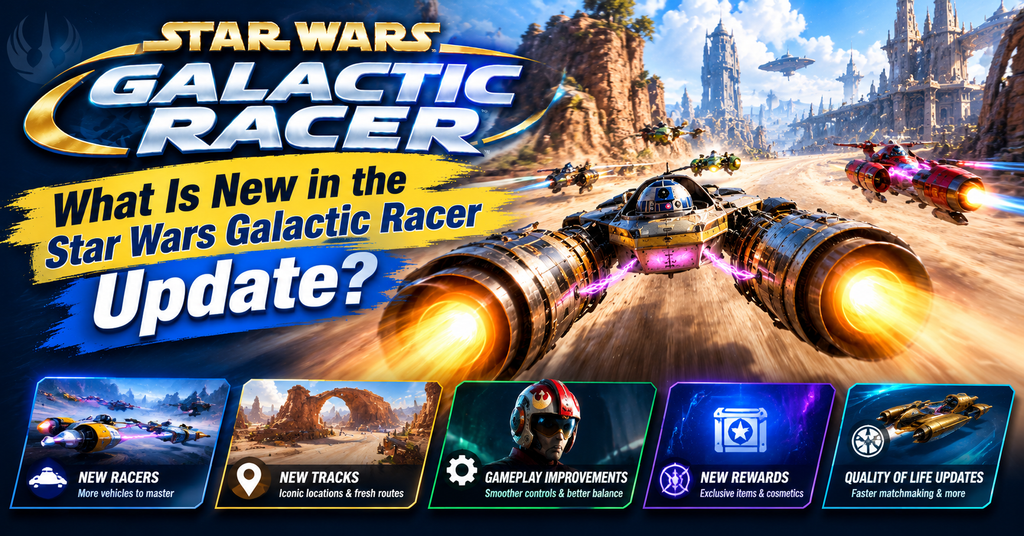
The latest notable quality-of-life update appeared on October 22, 2026, according to the game’s community announcement. The developers highlighted improvements to online party sizes, keyboard layout presets, and additional fixes based on player feedback.
These changes matter because a racing game needs more than exciting tracks and fast vehicles. Players also need reliable controls, convenient ways to join friends, and a stable experience during competitive events.
However, the announcement does not provide a complete technical breakdown of every change. Therefore, players should consult the official update notes before assuming that a particular bug or performance issue has been fixed.
Multiplayer Party Size Improvements
One of the main changes addresses online multiplayer party sizes. The development team said it had heard requests from players who wanted to share their racing experience with more friends. The update prioritizes that feedback.
This is useful for groups that want to coordinate races rather than split into smaller parties. Still, check the latest in-game multiplayer options or official notes for the precise supported party limits, since the announcement excerpt does not specify the new maximum.
New Keyboard Layout Presets
Keyboard layout presets are another focus of the update. This addition is especially relevant to PC players who prefer to customize their controls or use a familiar keyboard arrangement.
Racing games demand quick reactions when players steer around hazards, manage acceleration, and navigate tight corners. As a result, a comfortable control layout can make it easier to learn a vehicle and maintain consistent performance.
After installing the update, open the control settings and review the available layouts. Choose one that feels natural, then test it in a lower-pressure event before entering a competitive race.
Additional Bug Fixes and Stability Changes
The developers also included additional changes and bug fixes in the quality-of-life update. However, the announcement does not identify every individual issue addressed, so it would be misleading to claim that all crashes, frame-rate problems, or control issues have been resolved.
Players should also pay attention to the developers’ warning about campaign vehicle customization. The announcement reports cases in which customization settings reset after the update. Check your campaign vehicles after installing the patch and restore any settings that have changed.
Star Wars Galactic Racer Patch Notes at a Glance
The table below summarizes the changes mentioned in the October 22 quality-of-life announcement.
| Update area | Reported change | Who benefits |
|---|---|---|
| Online multiplayer | Increased party sizes | Groups of friends |
| Keyboard controls | Layout presets added | PC players |
| Bug fixes | Additional fixes included | All players affected by resolved issues |
| Campaign vehicles | Customization reset warning | Campaign players |
| Technical details | Check official notes | Players troubleshooting issues |
The main takeaway is that this update focuses on convenience and player feedback rather than announcing a major new campaign or an entirely new vehicle class. Players should check their settings after installation, especially if they have spent time customizing campaign vehicles.
How to Install the Latest Star Wars Galactic Racer Update
The update process depends on the platform you use. On PC, open your game library and check whether the game client has downloaded the latest available patch. If an update is pending, allow the download to finish before launching the game.
On PlayStation 5 or Xbox Series X|S, check the game’s update options from your console library. Automatic updates may handle the process, but manually checking can help if your game still appears to run an older version.
Once the update finishes, launch the game and review your controls and vehicle customization. If you experience a new issue, restart the game and check the official patch notes before attempting more complicated troubleshooting.
Where to Find Official Patch Notes
The official Star Wars: Galactic Racer news page is a useful starting point for announcements and development updates. You can also check the game’s Steam store and community information for PC-related updates and discussions.
For console players, the official PlayStation game page provides platform-specific information. Follow developer announcements when checking whether a patch has reached your platform, because availability and installation timing may differ.
What to Expect From Future Galactic Racer Updates
Future patches could address additional player feedback, but the exact contents and timing of upcoming updates should not be treated as confirmed until the developers announce them.
One area worth watching is control customization. Racing games depend on precise steering and predictable handling, so further improvements to input options could benefit players who use different hardware or control preferences.
Performance and stability are also important. Players should watch for official notes covering crashes, graphics settings, loading problems, or other technical issues rather than relying on unverified claims circulating online.
Content updates are another area fans may follow. New events, vehicles, tracks, or campaign additions would be significant, but the October 22 quality-of-life announcement alone does not confirm that any of those features are coming next.
How the Update Affects Gameplay
The quality-of-life changes may seem smaller than a new track or racing vehicle. Nevertheless, better multiplayer organization and more convenient controls can improve everyday play.
For example, a group that previously struggled to race together may find party management more convenient, depending on the updated limits. Meanwhile, PC players can experiment with keyboard presets to find a layout that supports their preferred driving style.
The customization warning deserves particular attention. If your campaign vehicle looks different after installing the patch, inspect its parts and settings before starting another run. This simple check can save time and help you avoid entering a race with an unintended build.
Players should also distinguish between a confirmed patch feature and a community report. Official announcements provide the strongest basis for understanding what changed, while player discussions can help identify issues that deserve further investigation.
Conclusion
The latest Star Wars Galactic Racer update focuses on online party sizes, keyboard layout presets, and additional bug fixes. Released after the game’s October 2026 launch, it shows the developers responding to feedback while improving everyday racing convenience.
Before your next race, check for the latest patch, review your controls, and confirm that your campaign vehicle customization remains intact. Visit the official news page for new patch notes so you can keep up with verified changes as they arrive.
FAQs
What is the latest Star Wars Galactic Racer update?
The latest notable quality-of-life announcement available for this article is dated October 22, 2026. It covers increased online party sizes, keyboard layout presets, and additional bug fixes. Check the official news page for any newer patches or more detailed information.
What did the Star Wars Galactic Racer patch change?
The patch focuses on multiplayer party sizes, keyboard controls, and additional fixes. The developers also warned that some players might experience campaign vehicle customization resets after installing the update. Check your vehicle settings before beginning another campaign run.
Is Star Wars Galactic Racer available on PC and consoles?
Yes. Star Wars: Galactic Racer launched on October 6, 2026, for PC, PlayStation 5, and Xbox Series X|S. The game is available through its supported storefronts, and PC players can check Steam for current version details and update information.
How do I check for Star Wars Galactic Racer updates?
On PC, check your game library for pending downloads. On consoles, open the game’s options and check for updates. You can also visit the official game news page for patch announcements and review the game’s settings after installing a new version.
Will future Star Wars Galactic Racer updates add new vehicles?
New vehicles may interest players, but the October 22 quality-of-life announcement does not confirm any upcoming additions. Check official developer announcements for verified details about future vehicles, tracks, campaign content, or gameplay changes rather than relying on speculation.
For more updates visit: GAME ARENAX
